
Top 3 Products & Services
| 1. 2. 3. |
Dated: Aug. 20, 2010
Related Categories
Photoshop Graphics SuiteBy
A few weeks ago, I wrote about a quick I had discovered on the internet that would allow Photoshop CS3 to be installed under Windows XP SP1 (CS3 will normally abort the installation unless SP2 is in place) using a registry hack. I initially thought that CS3 was working perfectly, but ultimately found a few unexpected problems of the large variety.
First, I found that Bridge CS3 would stall and get sluggish....but that didn't worry me too much as Adobe, on their own website, has official knowledge base papers reporting the problems with Bridge CS3 and very large files, such as the ones I tend to have. I just used Bridge CS2, which has never given me a problem generating thumbnails from large files. Again, I was sure this had nothing to do with the aforementioned 'trick' installation, as the problem was reported on the internet as well as receiving official Adobe mention.
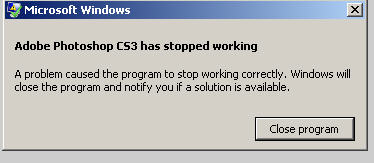 However, I soon discovered that Photoshop CS3 would freeze and crash the system whenever I attempted to save a file, even though it would function perfectly normally in every other way. I would have reported this as a blog post to 'rebut' the installation trick, except that it made absolutely no sense that the problem should be related to the installation and, additionally, I had received messages from others that had used the registry hack to successfully install CS3 under XP SP1 and were having no problems.
After wasting a good bit of time trying to figure out what was wrong, I initially uninstalled CS3. However, after spending another good bit of time Googling the problem, I discovered that I was far from the only person with this rather 'fatal' problem.....and those other folks had not done the installation hack. This was a reported problem under both Windows and Mac for some people.
But the fix was so simple that just thinking about the time previously spent was maddening. I reinstalled CS3, did the 1 second fix......and......it works perfectly. No more problem with saving files.
So what is the fix? Apparently there can be problems on both Windows and Mac with the new form of Version Cue. If you want to use Version Cue to allow multiple workgroups to work on a file, I did find a somewhat complicated fix, which can be found . However, unless you use Version Cue (which few people seemingly do), the easy fix is simply to disable Version Cue in the Photoshop CS3 Preferences dialogue.
Yup, that's it. I simply unchecked the 'Enable Version Cue' option in the preferences and no more problems whatsoever! I don't know if anyone reading this will also have this problem, but I thought that posting the fix somewhere searchable, such as this blog, was worthwhile if it helped someone else resolve what is truly a very frustrating problem.
Now that you've gotten free know-how on this topic, try to grow your skills even faster with online video training. Then finally, put these skills to the test and make a name for yourself by offering these skills to others by becoming a freelancer. There are literally 2000+ new projects that are posted every single freakin' day, no lie!
 Previous Article |  Next Article |