Operating Systems
Defragment Your Hard Drive -
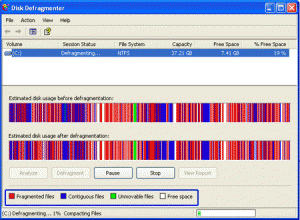
This article will show you a whole new way of defragmenting you computer and will explain why exactly we should defrag our computers every now and then.
Apache Web Server -

Best we can say about this article is that it is merely a bried preview of what an Apache Server is and what it can do. A must for any network admin or any webmaster.
Types of Servers 2 -

One of most important type of server is cluster servers. Software that enables clustering of servers is installed into a computer. Clustering servers also serve as load balancing servers between two computers. This is a common small business server. Clustering servers are used to avoid server failover. Server failover is the capability to shift to another standby server if the main server fails.
Make that Laptop Battery Last -

Here are easy to apply tips and tricks to make your laptop batteries last for much longer periods of time. Charge and immediately discharge your batteries a few times before relying on them.
Computer Training Excuses -

You wouldn't go to a doctor who had never been to medical school, or hire a lawyer who never studied law. One side-effect of a world advancing as rapidly as ours is that fields are becoming more and more specialized and narrow. People can no longer get by on general knowledge in their careers, something I found out for myself not too long ago. I'd been out of high school for two years, scraping by on my own and picking up scraps of programming as I went. I saw all of the self-taught programmers breaking into the IT industry, and I hoped to do the same. After all, IT is one of the few industries out there where being creative and a quick learner is more important than a degree.

Types of Attacks on Web Servers -

I think we hit the mother-load of server security information in this article people. We urge, every server admin as well as those looking to get into server and network security to not miss out on this article. You may already be experiencing attacks and wouldn't even know. And we like to point out that this article has no views against the "White-Hat Hacking Community."
PowerShell: Windows Command Line on Speed -

Who needs another shell? Unlike the
Unix world,
Windows hasbeen pretty consistent with the shell environment. First there was
MS-DOS (
COMMAND.COM) and later
Windows NT (
CMD.EXE). You can actually still get to
COMMAND.COM if you really, really want to. But for all intents and purposes, these have been the only two shells Windows users have ever known.
Microsoft wants to change that. When .Net was announced in 2000, Microsoft promised everything would one day be .Net. Unfortunately, Microsoft stuck the .Net name on things that were not .Net at all, such as Passport.Net which had no managed code in it at all.
Installing a Web Server in Windows -
Ever wanted to run your own home web server? Now you can! This article will give you the lowdown on Microsoft web servers and third party web servers for use on Windows operating systems.
Batch Scripting on Windows 7 -
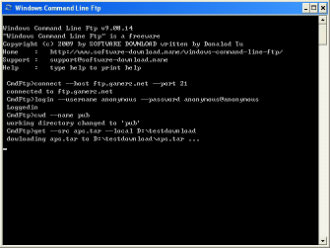
There are numerous reasons that
batch scripting can help users get a more full experience out of
Microsoft Windows 7. They can be used to automate tasks just as easily as they can contain
long commands that are not easy to work around. By starting with more simple models, a programmer can usually get the feel for what
batch scripts are supposed to look like. That being said, anyone who has some experience with the
command line can essentially take a group of
commands that they've entered and use them as a makeshift
batch script with no further editing.
Crash Proofing Your Computer -

This is a list of nine very useful tips to Crash Proof your computer. Install more RAM. Yeah, everybody says it, but its true. If you can't stop buggy programs from leaking memory, you can at least give them more memory to leak. How much RAM do you need?
Getting Started with WAMP -

The tutorial answers many common questions people have about WAMP. The ultimate goal of this tutorial is to help you determine if WAMP is the solution you are looking for by providing the advantages and disadvantages of WAMP. WAMP is a powerful backend web development and hosting environment integrated from Apache, MySQL and PHP. Using Apache as a web server, MySQL as a database server, and PHP as a server side script engine, WAMP controls all these components using an intuitive interface.
NTFS and FAT File Systems -

The system of collecting information together in "files" which in turn are grouped in "directories" or "folders" provides a method for naming and addressing information that is familiar to most PC users. But the mechanics of how the information is actually physically placed on the hard drive and retrieved is not something most of us ever think about.
How to Drag an off-Screen Window Back to the Desktop -

...the
display settings were displayed... on the
TV screen. Which I couldn't see. A nice little catch-22 there. Not to worry, there is a solution. For applications that do not show up in the taskbar. The desktop settings window does not show up in the taskbar, so you can't do it as described above. Here's what to do.
Specify Users' Logon Time in Windows -
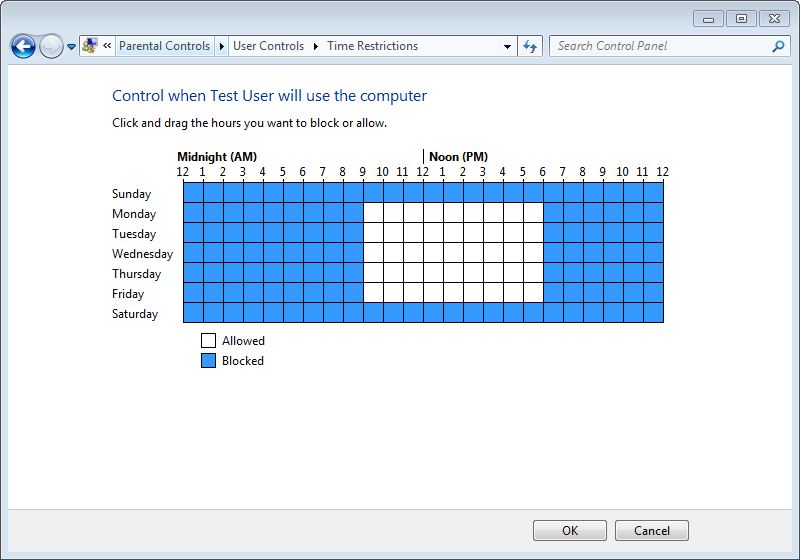
Logon time is the duration between which the operating system allows user accounts to logon to the computer. Logon time can be configured on the operating system only by the administrators of the computer. User accounts that belong to non-admin groups cannot modify or define the logon time and are only allowed to logon to the computer at the times specified for them by the administrators.
Administrator Password Hack -
We've got so much email from so many NT Admins that it's almost unbelievable why we haven't come up with a tutorial for them. This tutorial is scrictly for those admins who make it a habit to forget passwords. Enjoy!
Removing No Name Files & Folders -

This quick article will explain how to remove folder/file on a Windows machine that have no name and therefore are a pain in the rear end to delete, rename, or drag.
What are Operating systems? -
The way that computers work is that they use something called an
Operating System, basically a platform in the form of a low level software which enables programers and other people to make other, more complex programs. A common misconception is that OS (operating system) software runs only on computers, but the truth is that it runs on phones, routers and other network devices.
Differences Between Linux And Windows -
This article will discuss the differences between the Linux and Windows operating software's; we discuss some of the pro's and con's of each system. From this point forward we will discuss some of the more prominent ways in which Linux deferrers from Windows.
How to Unlock Your Computer if You Lost Your Password -
 Using the reset a password disc
 is the right solution if you have prepared before, but what happens if you didn't take the needed steps before you have lost your password? If this is truly the case, you have to use a special program that will enable unlocking your operating system.
The best free option is Ophcrack, a program that guesses the code by using a special program called "
the rainbow table".
How to Deal With Stresses & Anxieties in Today's Computer Industry -

Sometimes, we get stressed when everything happens all at once. When this happens, a person should take a deep breath and try to find something to do for a few minutes to get their mind off of the problem. A person could take a walk, listen to some music, read the newspaper or do an activity that will give them a fresh perspective on things.
Web Server Error Messages -

Many times these errors have more to do with the Web servers you're trying to access rather than something being wrong with your computer. Here is a list of error messages you might encounter while surfing the Web and their respective meanings to help you figure out just what the problem is. Here is a list of error messages you might encounter while surfing the Web and their respective meanings to help you figure out just what the problem is.
Short Introduction to Operating Systems -
We at TW were browsing about the web when we stumbled upon Mark's work. Although it's much outdated, it's very fundamental. And please don't let the title fool you. This is not a small short article but a short OS introductory book. An operating system is a layer of software which takes care of technical aspects of a computer's operation. It shields the user of the machine from the low-level details of the machine's operation and provides frequently needed facilities
Ubuntu in Place of Windows -

Most people think of
Linux as something only for geeks and
computer power users. However, we have come to see various flavors of
LinuxOS being sold in major
retail stores in the last few years and we also see a trend being set online. In this article, we're simply going to single out only one of many
Linux flavors known as
Ubuntu.
Introducing Windows 8 -
![Windows Logo]() Windows 8
Windows 8 is the newest
operating system destined to be released from
, and from what they have revealed, they have got a whole lot of changes ready for the end-user. Far from redesigning the system from the ground up, they have settled on pulling inspiration from their popular Windows Phone and from tweaks they have made over the years to the iconic Windows look.
Practical Batch Tutorial -
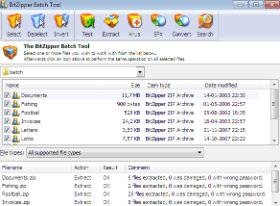
This tutorial was a long time coming. It teaches the readers in a very simple and down to earth language how to create a batch file to backup your various files. Also pushes the readers to think outside the tutorial and to figure out more ways to make the given commands even better. I suggest that anyone trying to learn Batch Scripting reads this. It will not be a waste of time, I promise.
TW Tech Glossary - Misplaced your bible? Well here it is - Tech Glosasary! This truly took a while to complete and should be used by all from beginners to advance techies.
Windows Explorer - Shortcuts -
Keyboard shortcuts for Windows Explorer. Expand the current selection if it is collapsed or Select the first subfolder - RIGHT ARROW. And many more.
MD5 File Hasher 1.3 -
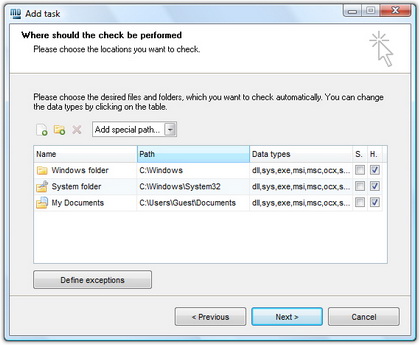
The hash function is a way of mapping a collection of information that can be various lengths in other values of fixed length. The values that the hash function gives are called hash values, codes, sums, checksums or simply hashes.
MD5 is a cryptographic hash algorithm, which means that it takes information of arbitrary length and creates fixed lengths for it, a cryptographic hash value, in a way that any change of data (accidental or on purpose) leads to the change of that value.
How To Recover Deleted Files? -
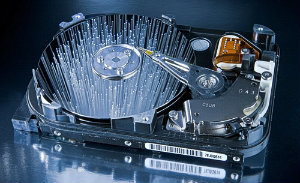
How many times have we come across TW visitor saying
"How do I recover files" or
"I deleted files from the recycling bin...how do I restore deleted files?"
Well, don't worry and be happy that you came across this little article on TechiWarehouse.Com.
You can often successfully recover deleted files from a PC, it all depends on what has happened since the files were deleted.
Windows Registry Tips and Tweaks -
These tips are provided as-is, with no warranty, either implied or otherwise. These tips do not include a thorough explanation of why you may want to use them, or why it might be a good idea not to. They are strictly meant to be a listing of registry tips and tweaks that I have collected over the years. Feel free to send me corrections or clarifications to us through our contact page.
Internet Security and Acceleration (ISA) Server -
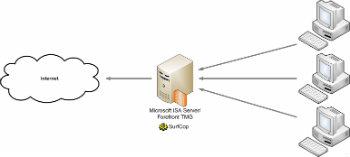
This weeks article discusses the nitty gritties of Server and Network Security and how to implement them. ISA Server uses Cache Array Routing Protocol (CARP) to enable a Web proxy array of virtually unlimited size for high availability and accelerated Web access. Internet Security and Acceleration (ISA) Server was built to enable companies to customize and extend their security and management features for optimum security and network performance by using a wide range of third-party solutions.
Removing Windows Messenger -

Ever got annoyed with Windows Messenger Icon in your system tray? Well we'll show you how to take this bad boy out of your PC quickly. Windows Messenger is a Swiss Army Knife sort of program: Instant messenger, video conferencer, file transferer, shared whiteboard, voice chat.
Understanding the Registry -

Learn all about the Windows Registry in this free tutorial from TechiWarehouse.Com. Making changes to the Registry is a lot easier than you think provided you take the sensible precautions outlined in this article.
Most Common TCP Ports -
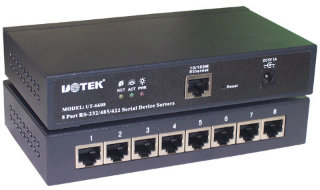
TCP ports will popup almost with any application you use wether it is ICQ or FTP. It will soon be realized how good its knowledge is once you yourself will start applying it in day to day tech use. TCP/IP uses several protocols, the two main ones being TCP and IP.
FileBot - Multimedia Manager -
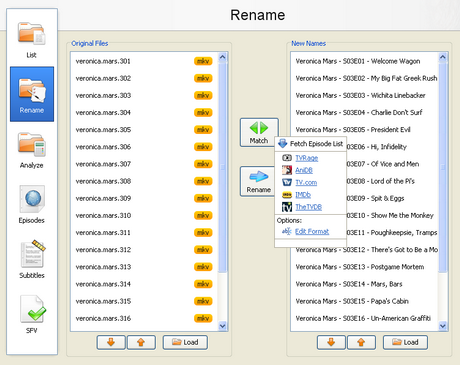
With the increase of capacity in hard drives and the increase of speed of the Internet there is the growth of available multimedia material on users computers. Sometimes it is difficult to find your way in a bunch of files and directories, where there are countless episodes of favorite shows or hours of movies that are waiting for some free time. Although modern file managers have advanced sorting options, renaming or some other searching, they still are not meant for handling a large number of files with multimedia content, that can be pretty diverse.
Types of Servers -

Ever wonder what types of things servers take part in? Ever wonder the possibilities? Well read all about it here in this weeks article. A good 10 minutes reading for all you future potential system admins. Servers are often dedicated, meaning that they perform no other tasks besides their server tasks.
What is Windows NT?
A version of the Windows operating system. Windows NT (New Technology) is a 32-bit operating system that supports preemptive multitasking. There are actually two versions of Windows NT: Windows NT Server, designed to act as a server in networks, and Windows NT Workstation for stand-alone or client workstations.
Tips
Changing Process Priority
Is a program or process running too slowly, or is one hogging all of the CPU time? Go into the task manager and click on the "Processes" tab. Right click on one of the processes and change the priority class to one of your choosing. Give mission-critical processes high priority and lower those of non-essential tasks.
Larger CPU Usage Graph
If you want to see your CPU usage graph in a larger window than that normally allowed by NT 4.0's Task Manager, just click on the Task Manager's "Performance" tab and double-click the window. A larger graph of the CPU performance will appear in place of the "Task Manager" window temporarily.
Missing a Command Prompt Shortcut?
For various reasons, a shortcut to the command prompt may be missing from your Start menu. If you need to get to it fast, just click the start button, choose "R"un, and then type COMMAND and press ENTER
System Sluggish? Check your Services
If your NT system is running a little sluggish, you may want to check and see if you have unneeded services running.
Click on the "Start" button, choosing "Settings," and then "Control Panel." Double-click the "Services" icon, and look at the list of services.
From the "Services" menu, you have many options including shutting down services temporarily or forcing them outright to never start up again. It is recommended, when attempting to disable services that you are unsure about it, to only temporarily disable such services at first and examine how NT reacts. Then, force the service to run manually instead of automatically, and if all goes well after a testing period, outright disable such service.
Can't Find the Mouse
There may be times when installing Win NT 4.0 that it can not detect the mouse. Even worse, the mouse service can not be started - period. According to the Microsoft Knowledge Base, this is normal with the release of NT 4.0 and can occur when performing an upgrade or under certain other conditions. If this happens, you may want to install the latest Service Pack which should fix the problem.
This error did occur on a test machine, and installing the service pack fixed the problem - just thought I would let you know. Getting *to* the download area wasn't fun without a mouse, though :(
Take Care with your Screensaver Choice
If you like to use screensavers, carefully decide which screensaver you wish to use on a server computer. Some of the fancier screensavers, such as the OpenGL screensavers, use a high percentage of CPU time, slowing down your running services. Stick with simple screensavers or use none at all for servers.
PowerToys - They're Not Just for Windows 95
Just because the PowerToys are under the Windows 95 section of the Microsoft(c) website
|
|
|
|
 Did You Know?
- Windows NT was thought to be a very big break through for servers because now they used GUI. Although, many linux used GUI as well but this was Micro$oft.
- An Indian discovered that in MS Operating Systems, nobody can create a folder anywhere named as "con". Not only con but you cannot create folders named as "aux" nor "nul". This is something pretty cool...and unbelievable... At Microsoft, the whole Team, including Bill Gates, couldn't answer why this happened! Try it out yourself...

|
|
|
|
|
|

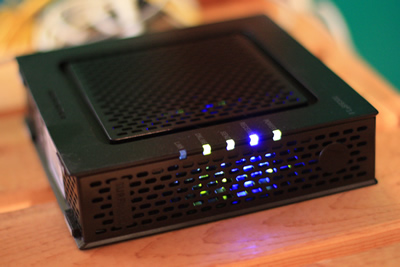 This tiny tutorial will do wonders to your existing cable and DSL modem.