Other Technologies
 Most of the times you'll hear web hosting companies promote their services as some cheap solution for a site that may have scalable needs. This is a fancy way of saying they believe you're website will one day require tremendous amount of hosting resources because they have all the faith in its success. We'll I don’t want to say that we don’t have the faith, but maybe the promoting web hosting service can be done for a "host" of other reasons as well.
 Very informal thoughts on WYSIWYG HTML editors like DreamWeaver and MS Frontpage and the likes.
 Windows 8 is with us for a while, and we don't have any doubt that some users have already installed it on their computer as the only operating system. As it usually happens on every new version of Windows coming out there are a lot of differences between the older Windows and the new ones, users don't know all the possibilities that the new Windows offers. That is why we gathered some useful advice on that theme here.
 Have you obtained your degree and are you looking for that job that will make you rich and famous in your field? Then you are not the first to be disappointed when you go out there with your resume. The recession has made everything slow down and while this is a hurdle that every generation faces the competition gets tougher with every year that passes. Having a degree with an experience makes you join the ranks of the hundreds in a similar position. Career counselors advise the addition of as many certification courses and addition career related courses to ...
 Colors play an important role in human lives. Unlike animals, we see and interpret colors of different hues, shades, tints and spectrum. Emotions are attached to different colors ; phrases have been coined around them. Sample a few: Seeing Red, Going Green With Envy, Having The Blues, In The Pink Of Health, Green Thumb.
Since we are surrounded by colors in real life, it is but logical that it make the transition to the virtual world.
 Your hard drive is seeking more than its finding, grinding away at data until you are ready to go get a cup of coffee while you wait for Word to open. Your mouse is sluggish. Your data hasn not been backed up in months and the nightly news says that a lightning storm is on the way. You are in trouble. Your PC needs a tune-up and fast, so lets get started.
 VBA was introduced in Excel 5. Before that version Excel used a completely different macro system, known as XML (Excel Macro language). VBA is an exceptionally strong program language that has hundreds of uses. The following list is just a example of what you can do with the help of VBA macros.
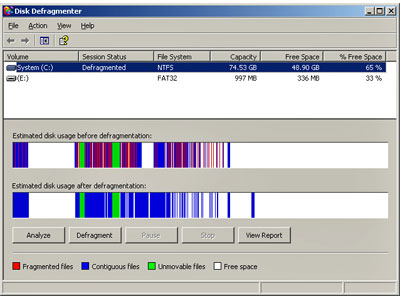 Defragmenting the hard drives on a system with the Windows XP operating system is a little different from the method in Windows 98/Me. The operation is done by using one of the Microsoft Management Consoles.
 Just like their human creators and developers, computers can be broken down into a series of generations, each with their own distinct technology and feature set. At the current time, many computer scientists break computing into four separate generations, with an exciting fifth generation currently on the horizon. This new generation of computing, which takes the form of so-called artificial intelligence, will be unlike its predecessors -- noted more for its features than its hardware.
 The Internet is a perfect place to look up all the information you need for a winning presentation. You know you need the perfect search engine in order to get the results you're looking for. Google is that engine. It will provide all of your questions with the perfect answers, and once again you will prove your worth no matter where you settle. Google offers a great deal of information for serious and casual searchers alike. With that kind of dependability, it is easy to do the work you need to do. It doesn't matter if it's a report for school, or a new website for your internet business. Google delivers on a grand scale so you can relax and take care of business.
 Emoticons are facial expressions made by a certain series of keystrokes. Most often producing an image of a face sideways. Below is a list of 100's of emoticons that can be used as a reference chart for those of you who take online chatting seriously :)
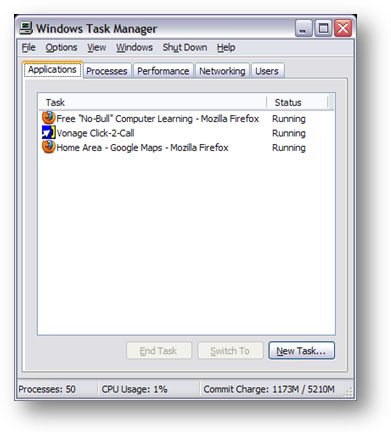 Back in the days of MS-DOS, if you wanted to reboot your computer you either pressed the reset button on your computer case or, as many people quickly discovered, you gave your PC the "three fingered salute". This term, oddly enough never officially adopted by Microsoft despite its widespread use, referred to the Ctrl+Alt+Delete combination that resulted in a restart (called a warm reboot) of the operating system. Ctrl+Alt+Delete was used, quite Simply, when you could do nothing else but start over.
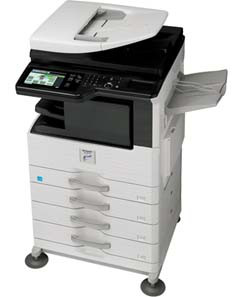 Although we talk about computing in a cloud, there is still a lot of work done on papers. The Sharp MX M354N will satisfy the needs of every office. No matter how much you resist it, digitalization is inevitable. Because of the ever growing business and chronic lack of time in employees, it is expected to get speed, quality print, low price and availability from multifunctional printers (MFP).
 For those who have never encountered these types of services, this is how Dropbox works. You first need to download a small app from the official site and then install it on your computer which you will put in the system tray. In your Home folder a subfolder will be created called Dropbox and that will serve the purpose of a local folder for online synchronization. Everything you put in that folder will be put online immediately. Everything you delete will be removed from the Web.
 There are a lot of great freeware programs out there. Many are as good or better than their commercial alternatives. This list features my pick of the best of the best. If you think these 16 utilities were great, you should see the other 30 listed in...
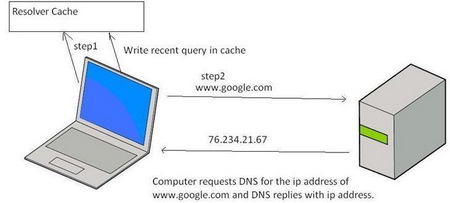 To help speed up Web browsing, Windows XP comes with a local cache containing any DNS addresses that have been looked up recently. Once an URL has been resolved by an Internet name server into a numerical IP, the information is stored locally. Anytime your browser requests an URL, Windows XP first looks in the local cache to see if it is there before querying the external name server used by your ISP. If it finds the resolved URL locally it uses that IP. This is supposed to save time and cut down on Web traffic.
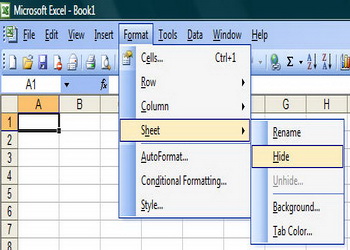 Excel is a very useful tool and if you regularly work on computers you should know as much as possible about it. In the following text two options in Excel will be explained, grouping subtotals and hiding worksheets.Imagine you are working on sales in stores that are located on various locations....
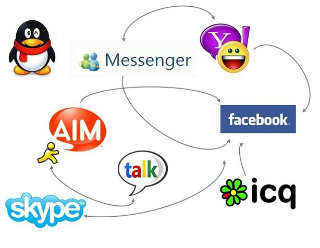 IM really began to take off in the mid-90s with AOLs Instant Messenger. Soon other IM systems began to proliferate, including Yahoo Messenger, ICQ and MSN Messenger. All of these had buddy lists which could be used to add contacts, and presence which enabled you to see which of your contacts were online, available, busy, etc. The problem was that none of these applications could interoperate, so an end user had to install several IM clients in order to talk to friends using different systems.
 Let's take some time to focus on one of the MOST used softwares in the computer world. It's strange how we use something so often and not think twice on fixing some of our pet peeves or kinks that we face which we weren't meant to in the first place. If we compare the amount of work we get done with Microsoft Word, it probably comes in a close third after our Operating System and our Internet Browser.
So let's get right down to it.
 The computer is perhaps the most indispensable possession for most people in this time. In the office, at the school, or even at home, it has become a staple tool because it makes things easier, faster and more convenient. For the professionals, accomplishing office tasks is impossible without computers. For students, fulfilling their academic duties is now made easy. But computers are not only for serious business. Admit it or not, we have come to love computers all the more because of the fun and exciting games we can play in them. Why not?
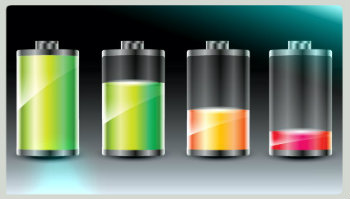 Here are easy to apply tips and tricks to make your laptop batteries last for much longer periods of time. Charge and immediately discharge your batteries a few times before relying on them.
  Here are some quick tips to stay safe on the net from con artists and thier scams. This is more of a survival guide then a tech related column.
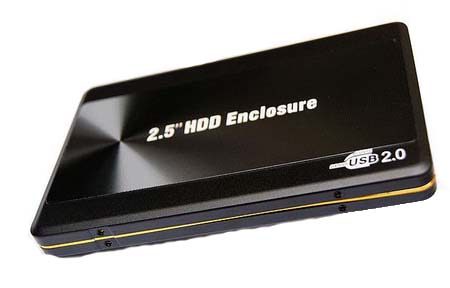 External hard disks are becoming an essential part of computer equipment whether it is business or user based computer systems. Except for the fact that they enable storing more data, they don't slow down your processor. External hard disks are connected with the computer using a USB cable. USB ports are now being placed in almost every computer. If you are buying a new computer make sure that....
 You wouldn't go to a doctor who had never been to medical school, or hire a lawyer who never studied law. One side-effect of a world advancing as rapidly as ours is that fields are becoming more and more specialized and narrow. People can no longer get by on general knowledge in their careers, something I found out for myself not too long ago. I'd been out of high school for two years, scraping by on my own and picking up scraps of programming as I went. I saw all of the self-taught programmers breaking into the IT industry, and I hoped to do the same. After all, IT is one of the few industries out there where being creative and a quick learner is more important than a degree.
 A brief and concise picture of the developement and history of the Internet. Where it started, why it started and major milestones. Around the mid sixties, two computers located in different geographical areas within the US were connected using a 1200 bps phone line.
  I turned to home schooling when it became clear that the public school system was failing my son. Schools don't like losing students, so the process was long and difficult, with plenty of paperwork and roadblocks thrown in my way. After I had put so much effort into getting my son out of a public school, I wanted to make sure that it was worth it. I wanted him to have a head start, whether he chose to go to college or strike out on his own once he graduated. He had some aptitude at computer programming, so we started supplementing his lessons with online courses.
 A very brief overview on Internet Explorer 6. Microsoft has designed Internet Explorer to make it easier for you to get the most from the World Wide Web. If you browse sites in other languages, IE can update your computer with the character sets needed to view these sites correctly.
 This week, we have again somehow got hold of these pearls of wisdom on running a successful Internet Biz. It is important that you go through this article if there is even a remote chance of you opening up an Internet Business. After all, millions have tried it, only hundreds have succeeded. There has got to something that most people are doing wrong.
.jpg) Yesterday we brought you the first part of the free tutorial "Introduction to HTML", and you can read it here. Today you have a chance to read the final part of this free HTML introduction tutorial. Tables have been used before to make the structure of the page, which is outdated and is not valid by HTML standards, but tables are still used for the tabular display of a text.
Yesterday we brought you the first part of the free tutorial "Introduction to HTML", and you can read it here. Today you have a chance to read the final part of this free HTML introduction tutorial. Tables have been used before to make the structure of the page, which is outdated and is not valid by HTML standards, but tables are still used for the tabular display of a text. HTML (Hyper Text Markup Language) is a basic language that is used for defining web pages and consists of elements (marked with tags) and the content. HTML is not a program language. HTML documents are accessed using browsers like Mozilla Firefox, Google Chrome, Safari etc. For creating HTML documents you can use any text editor like for example Notepad, but it's recommended a more advanced program (Notepad++, Dreamweaver, NetBeans, Coda, etc.)
 If you have some misconception in mind that the programming languages are easy or hard, I am afraid to say that you are mistaken. To tell you frankly about the programming languages, there is nothing such as easy or tough programming language. The only thing that you need to keep in mind while stepping into the world of programming languages is that which programming language would set your base by giving you in-depth knowledge of programming logics and the basics of programming techniques.
 Compressing PDF files will shrink its size without any information loss. In the following article you will find information that will guide you through the process of compressing PDF files. Don't upload documents with private information. It is not rare that sites that offer compression services keep a copy of your file for themselves.
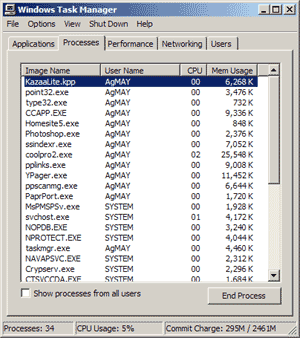 Mountain bikers use space-age alloy components to reduce the heft of their rides. NASCAR mechanics tune their cars engines for days before the weekend race. The ultimate purpose of these alterations, of course, is to increase speed, and you dont have to be a rabid sports jock to appreciate quickness especially if you are a PC user enduring agonizingly slow startups.
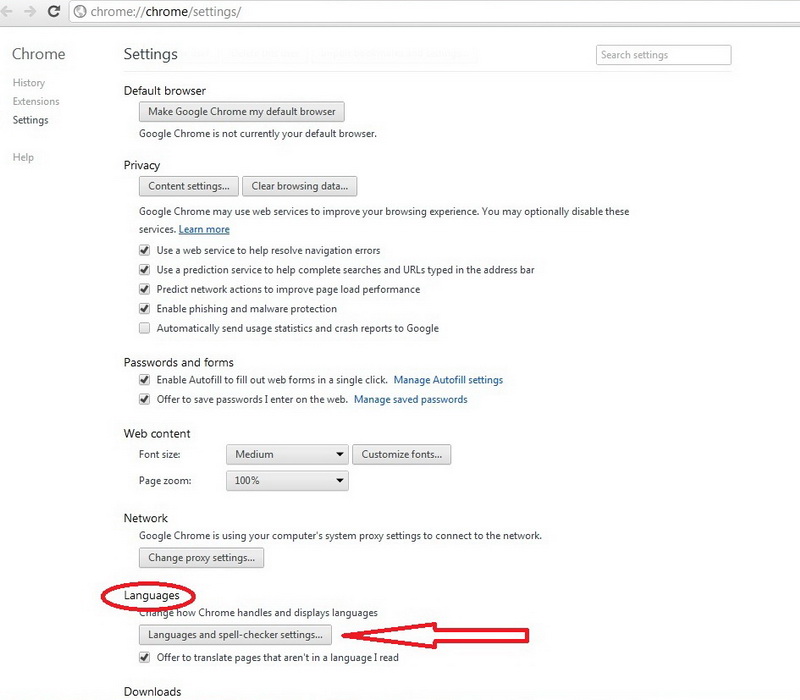 You downloaded Google Chrome, you installed it and you can't wait to try it out. Then you realize that they delivered you the edition in some foreign language, and you speak only German (for example)... Here a greater problem emerges, because you will do everything guessing, and if you want more, you won't dare to try it. This problem can be easily solved in a few steps.
 The type of email scam in which an email is sent claiming to be an established enterprise like eBay, Citibank, PayPal, Amazon.com, etc in an attempt to scam the user into surrendering private information. The word phishing comes from the analogy that Internet scammers are using e-mail lures to fish for passwords and financial data from the sea of Internet users. The term was coined in 1996 by hackers who were stealing AOL Internet accounts by scamming passwords from unsuspecting AOL users.
 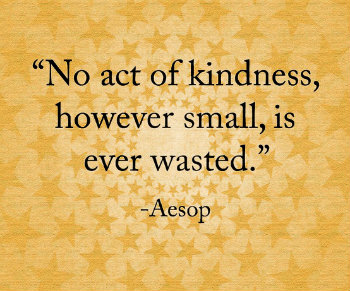 So I thought this morning I would try to be the optimist, and give reason to hope for the future of the Internet by drawing upon its present.
Now, it may seem like there is less hope today than there was before. People are less kind. There is less trust around. I don't know. As a simple example, we could run a test here. How many people have ever hitchhiked? I know. How many people have hitchhiked within the past 10 years? Right. So what has changed? It's not better public transportation. So that's one reason to think that we might be declensionists, going in the wrong direction.
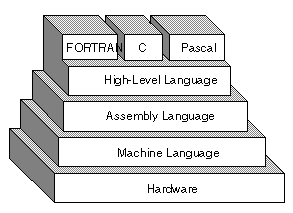 Programming languages date backalmost to the invention of the digital computer in the 1940s.
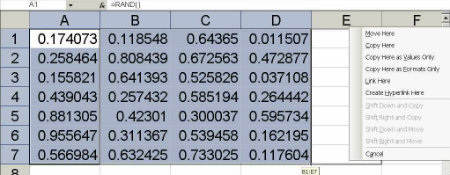 If we have valuable information or accounting info stored in excel and by chance if you come across a situation where you need to convert the rows to columns. then we can use the transpose functionality in Excel.
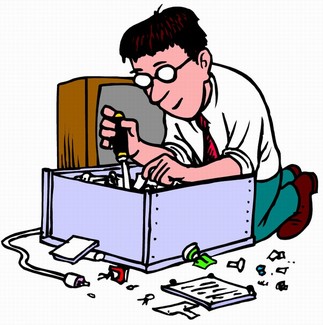 Fans in a computer cases can often cause overheating, and with that permanent damage to the component. It is necessary that you check your fans from time to time. Components in the computer casing (motherboard, processor, hard drive...) can't and mustn't be replaced by a person who is not an expert in these things.
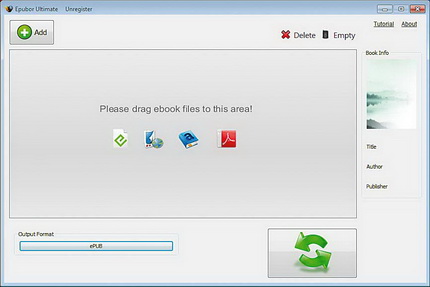 Research that has recently been conducted in the USA says that the number of sold E-books, for the first time, was more than the number of paper editions. Epubor Ultimate Converter has simplified the conversion of the format. It supports a larger number of known formats, as well as e-book readers, it doesn't even have to know what formats that reader knows. It is enough to choose from the list of devices it has a device for which it wants to.
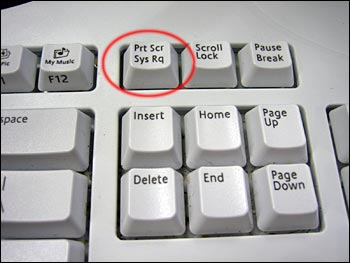 There is a common misconception amongst many computer enthusiasts that they need some $50 gizmo software to take screenshots. However, that's far from truth. The fact is that your computer is fully capable of creating screenshots all on its own with needing to spend any money, or install some software to achieve this goal. That said, a quality screenshot software may add some neat options to taking screenshots that you may not already have.
.jpg) A brief intoduction into the world of Spamming. Read to find out the only methods known to work in fighting spam emails.
A brief intoduction into the world of Spamming. Read to find out the only methods known to work in fighting spam emails. Origin of computers was a gradual development from the room size UNIVACS to the hand held palm tops today. This improvement was possible due to the discovery of many new technologies which reduced processing time, size and cost. Computer history is classified into generations based on the discovery which led to major change. The computers in these generations differ greatly from its previous and next ones.
 As always, M!cro$#!t was there to help us with their awesome and almost God-like helping hand by creating Page Transitions feature in their (then latest) MS FrontPage. And other software manufacturers followed MS like a pack of sheep trying to stay tight in a herd.
 It used to be that businesses had a major influence on what types of products and services were available to the general public. In the early days of the Internet, networking LAN technologies and needs were the driving force behind the creation of many software applications and tools that users accessed. The growing popularity of the World Wide Web with casual computer users led to a paradigm shift in how to approach usable software solutions for these users. Simple to install and use software applications such as file sharing, e-mail and instant chat programs were instantly popular.
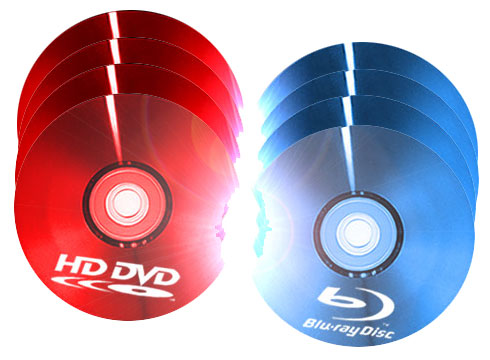 This weeks article will explain to you all those Digital Disk Formats that are out there. A very insightful article written to bring the confusion to end, don't miss it. DVD shorts for digital versatile disc or digital video disc, a type of optical disk technology similar to the CD-ROM. A DVD holds a minimum of 4.7GB of data, enough for a full-length movie.
  Another brief overview of good computer house cleaning. Dont miss out this very fundamental article. It WILL go a long way. Just like dust and dirt can build up around the house, your computer will build a collection of bits and pieces of information that you need to clean up.
 This article is a God sent for all newbies and for some old tarts that need brushing up on thier Netiquettes. A must for all chat room users. Cyberspace, like the world around you, has its share of good, bad, and indifferent people. It's up to you where you choose to go on the web, but you have little control over those you share it with.
 Google Drive is in many ways modeled on Dropbox, but it is typical of Google, the emphasis is placed on linking with other services offered by the company. For example, if you use Google Docs, and had taken the documents, at the first sync they will be copied in your local folder, or space for Google Docs documents will automatically be associated with Google Drive. Free users get 5 GB of free space, but it should be noted that the area is common to Google Drive and the pictures you post in Google+ albums (if you use this service).
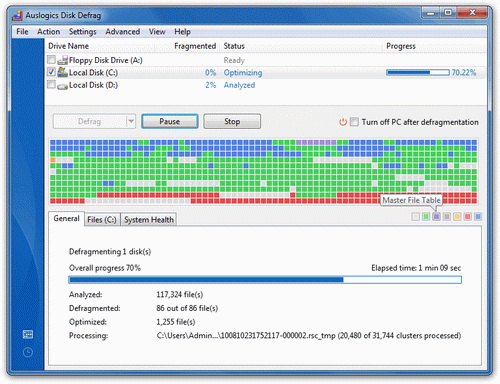 Defragmenting your hard drive is very important for a fast and secure computer. If you notice your computer working slowly, defragmenting is the first thing you should do. You need to know how to do this process safely and with that delay the buying of a new computer.
 Spyware can be installed without the conscious consent of the user, allowing unsolicited spam or remote monitoring of a computer's activity. Neither spyware or adware can be removed using a normal Antivirus program.
 When moving from house to house, you have to pack up all of your belongings in the old house before you can move, right? The same could be said when you are moving from web host to web host. The first and most important thing you can do is backup your web site and get it ready for the move. Remember to grab all of your static files. This would be all of your non-dynamic pages, images, templates and more. The exact files that you do backup might change depending on how your site is setup.
 This article will get you going in creating your first webpage solely created by HTML. All you need in a "NOTEPAD" program.
 The Internet is annoying. At its worst, connecting to the 'Net is like inviting strangers into your house to trample all over your carpet, poke at your dog with sticks, and drink all the beer in your fridge. Opening your world to global communication means not just connecting with friends, but also becoming the target of boors, criminals, unscrupulous salespeople, and losers with too much time on their hands.
 YouTube is a video sharing website on which users can upload as well as share videos. Almost 200 million user's logon to the website daily to share and watch videos posted on YouTube. Registered user of the website can upload personal videos to this website and allow other users to view their videos online.
But do you know that you can also download videos from YouTube and watch them later without any internet connectivity. Earlier, all the videos on YouTube were in flash video format, which were of poor quality and were not compatible with other devices. However, visitors can now watch and share videos in different formats like high definition, mp4 and other popular format.
 Today it is just impossible to not have a BitTorrent client installed on the OS, because this way of downloading files is very popular. So, next to choosing audio and video players it is important to choose the right BitTorrent client. When it comes to Windows OS the main torrent is �Torrent. It has been the inspiration to the creator of qBittorrent to create an alternative to open code.
 Portable Document Format or PDF is a popular document created by Adobe, which can hold text, fonts, images and graphics. This particular kind of document has been immensely successful die to its portability and platform independence. Even if the images and graphics used in PDF are heavy, the actual size of document is very small, hence, facilitates easy transfer through various methods.
 Some bottom line rules for emailing with a bit of humor.
 This tutorial describes how to change the default location of the My Documents folder in Microsoft Windows XP. He asked "How Can I Change My Documents Folder Path To a My Documents Folder On My Other Drive?". He went on to explain that he had Windows XP OS.
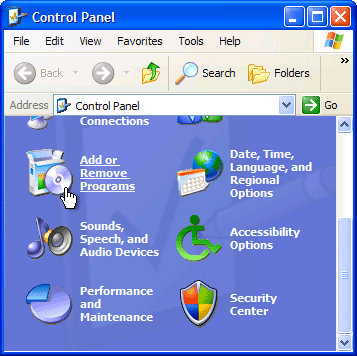 Here is a beginner tutorial that we thought could come handy to those that have just purchased a PC (Today haha). Just kidding! But seriously, if you have programs on your computer and don't have a clue how to take them out, try this tutorial. It's exactly for a person like yourself.
 What eventually became one of the most significant advantages of the Internet is the possibility of simple access to any information placed on any computer attached to this global network. We can access the information that we need in various ways, from searching on the Web, to downloading complete files, even the ones that are pretty large. This text should help the enlightening of the dilemma about downloading files from the Internet and to give you short instructions on how to do it.
 What people need is a one stop computer expert and that's practically impossible to find. Today what happens is that people go to a computer expert and they find that they can either go to an expert in hardware, in software, in sales, or support. The sales guy is usually very friendly, pleasant, and nice but he doesn't know anything about the computer itself. He'll send you on to what he calls the tech staff...
 Many guidelines have been published about computer-related stress injuries. This page summarizes some of my favorite suggestions. Unfortunately, this page reflects the sad voice of experience. I have used these exercises myself, after suffering from injuries with my hand, wrist, arm, back, and eyes. If I had followed my own advice, I might have been in better shape today.
 If you're reading this, chances are you haven't yet signed up for Paypal. So let's keep reading a bit more about it. If you haven't signed up yet, this article will most definetly save you a lot of worries, especially if you are a small business owner.
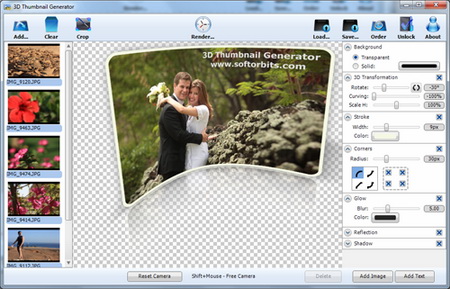 Thumbnail is a reduced display based on which you can have insight in the content that is represented through it. In the last century, more precisely the 80', the thumbnail became a term that refers to a preview of a graphic format on computers. The 3D Thumbnail Generator will make sure that your thumbnails are not just a copies of the original in very small form.
 Perhaps it is time for a career change, or you are fresh out of high school and the idea of four more years of schooling does not appeal to you. After much research you have decided to embark upon a career in the Information Technology field. Not a bad choice, especially since Technology changes every day.
You are faced with the choice of education. As previously stated, going to computer school for four years to get a computer science degree is not an option but there is another option, IT Boot Camp. And IT Boot Camps solely focus on a very limited number of IT Certifications. So there can be MCSE Boot Camps that may focus on just that.
Perhaps it is time for a career change, or you are fresh out of high school and the idea of four more years of schooling does not appeal to you. After much research you have decided to embark upon a career in the Information Technology field. Not a bad choice, especially since Technology changes every day.
You are faced with the choice of education. As previously stated, going to computer school for four years to get a computer science degree is not an option but there is another option, IT Boot Camp. And IT Boot Camps solely focus on a very limited number of IT Certifications. So there can be MCSE Boot Camps that may focus on just that. Cookies are so good. Especially those chocolate chip kinds are my favorite. But not all cookies are so sweet. The cookies we talk about on the web are subject of frustration for many surfers. Find out why many sites use still use them.
 This is something that our friend Najmi came up with for the beginners. Have trouble finding things on the net? Well, read this and become a whiz at looking things up online.
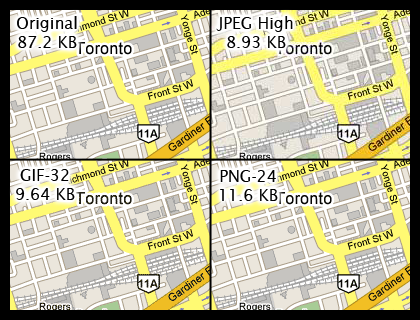 Here is a little insight that one ought to have when it comes to graphics on the web. Learn the difference between JPEG, GIFs, and PNG file formats. It could come handy someday so check it out.
 Since Google made its debut in September 1998, the web designers, developers, programmers, and consultants of this world have been going crazy ensuring that their websites are Google friendly. Just how do they do it?
 This week we are discussing some areas of employment that needs some real coverage in general. Check what CyberSlacker is and if you are one of them.
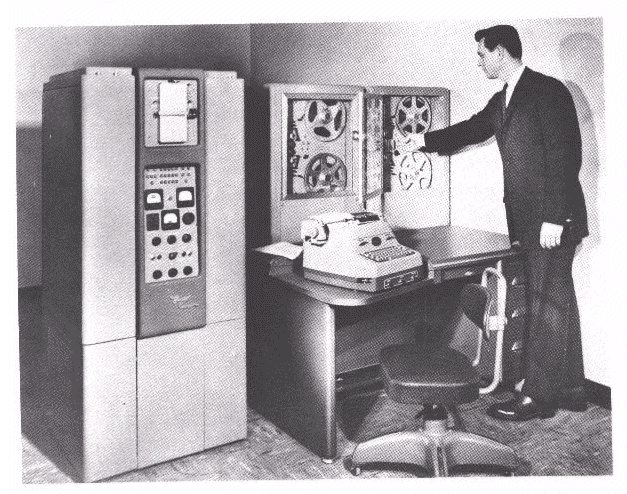 The history of computer development is often referred to in reference to the different generations of computing devices. A generation refers to the state of improvement in the development of a product. This term is also used in the different advancements of computer technology. With each new generation, the circuitry has gotten smaller and more advanced than the previous generation before it. As a result of the miniaturization, speed, power, and memory of computers has proportionally increased. New discoveries are constantly being developed that affect the way we live, work and play.
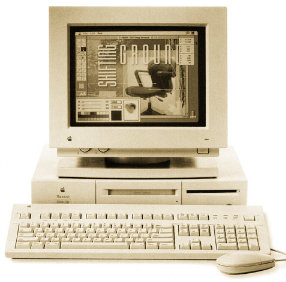 Article discusses computer history as far back as 5,000 years! Amazing story on the history of the computer. It was 1642. That year the 18-year-old son of a French tax collector, or the well known Blaise Pascal, invented what he called a numerical wheel calculator to help his father with his duties.
 InDesign is actually the successor to the Adobe PageMaker that the company Adobe bought from Aldus in 1994. A few years later, in 1998., PageMaker lost almost the complete market by QuarkXPress that was the most popular program for Desktop Publishing. To make things more interesting, the company Quark offered to buy Adobe, but Adobe refused that offer and continued with the development of the PageMaker.
 All of us who are regular users of computers eventually come to the point where we replace what we are using with a new machine. We are then faced with the question of what to do with the old system. Here is some ways to make sure that good use is made of whatever potential is left in the old computer.
.png) In this guide we will show you how to get rid of unwanted "trash" that keeps piling up when you are using Microsoft Windows.
In this guide we will show you how to get rid of unwanted "trash" that keeps piling up when you are using Microsoft Windows. 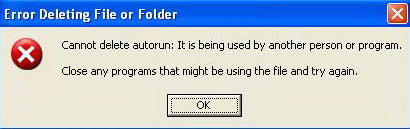 Find out many ways you can delete your undeletable files. When XP refuses to delete/modify a file; simply jump into the command prompt (Start>Run>"cmd") and modify the file from there. Windows-DOS seems to work around this bug. No need to wade through complex procedures for this one.
 Asus VivoBook S200 is standardly delivered with the Windows 8 Pro 64-bit system, and the big touchpad responds perfectly to motion control in the Metro interface. The biggest surprise waits at the display: it is a very good 11,6" screen with LED background lighting that - responds to touch. Just like it was predicted, controlling the Windows 8 system is...
 Just as we teach our children the difference between a "good touch" and a "bad touch," we need to teach PC users the difference between a good assist and a bad assist. A good assist is help from a qualified computer expert to solve a real problem. A bad assist is help from a well intentioned friend to solve a problem that frequently doesn't even exist. Some bad assists are harmless, but some precipitate computer disasters.
 Sometimes, we get stressed when everything happens all at once. When this happens, a person should take a deep breath and try to find something to do for a few minutes to get their mind off of the problem. A person could take a walk, listen to some music, read the newspaper or do an activity that will give them a fresh perspective on things.
 The Task Coach is a program from a group of personal to do managers. Next to the standard options of organizing and informing you about upcoming tasks, it offers advanced possibilities of manipulation of tasks and managing the available time.
 Icons are those cute little pictures on your Windows desktop that help you identify a program or file. You can easily make your own icons by using MS Paint, Photoshop, or any other mainstream graphics program. Here's how...
 There are pros and cons to both types of email, POP3 and web based. Consider them before choosing how you will send and receive your correspondence. These accounts are called POP3 accounts. POP3 refers to the protocol or language your computer and the mail servers located at your ISP use to communicate with each other.
 A Favicon is a multi-resolution image included on nearly all professional developed sites. The Favicon allows the webmaster to further promote their site, and to create a more customized appearance within a visitor's browser. Often, the Favicon reflects the look and feel of the web site or the organizations logo.
 Do you feel frustrated every time you use your computer because it has really bad performance? Maybe you are thinking about buying a new computer even though it demands a lot of money and it will take away lots of time. Fortunately, there are techniques which you can use to prolong the life time of your computer and in that way avoid buying a new one.
 The key advantage of DSL over modem is speed. DSL is from several, to dozens, of times faster than a modem connection. Connection speed, reliability, and the 'always-on' nature of DSL, are the main reasons it is so popular. For small businesses, DSL is also a great way to save money compared to pay per minute ISDN service, or expensive T1 lines.
 We have all heard about someone shopping over the Internet more or less successfully and we can just vaguely remember how it all works. This text will break some dilemmas and enlighten Internet shopping.
 What Computer Field Makes the Most Money? This is a common question amongst many and is also very annoying. First of all, don't go in a field just for the money alone, you'll regret it in the long run. Believe me, I know what I'm talking about!
  Computers have delicate electronics inside of them. The electronics in laptops may be even more delicate. As the computer ages, the components suffer from repeatedly being turned on and off (technicians say that the parts are fried). Over the course of time, the repeated spiking damages some components. It is thus a good idea to reduce the number of times that you spike these delicate parts.
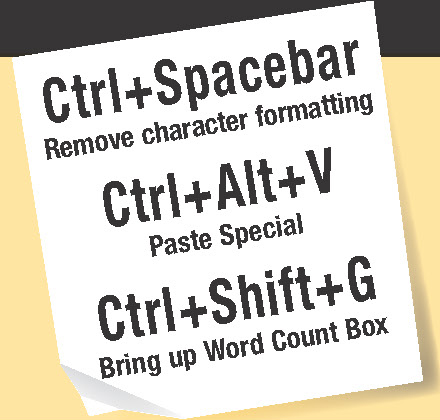 Shortcuts are combinations of keys that give you fast access to command's, font's, symbol's, style's and macro's. A lot of shortcuts are built into Word. If you are using Microsoft Office Word for something a bit more complex than writing letters you are probably spending a lot of time opening menus, choosing commands and options in the dialog frames. Wouldn't it be more efficient work if you could use simple button combinations?
.jpg) Computer cases come in a variety of colors, designs, materials and for those who wish to bare all, there are clear acrylic cases available. You'll hear of all types of hardware lingo like: ATX computer cases, full tower computer cases, desktop computer cases, custom computer cases, aluminum computer cases, cheap computer cases, gaming computer cases, mini computer cases, and on and on and on...you get the drift.
Computer cases come in a variety of colors, designs, materials and for those who wish to bare all, there are clear acrylic cases available. You'll hear of all types of hardware lingo like: ATX computer cases, full tower computer cases, desktop computer cases, custom computer cases, aluminum computer cases, cheap computer cases, gaming computer cases, mini computer cases, and on and on and on...you get the drift. The successor to Office 2000 includes hundreds of new features for users and support staff alike. But installation is unlikely to be straightforward. In some ways, Office XP is a revolutionary step, yet in other ways it can be seen more as a gentle evolution. On the revolution side of the equation, Microsoft is billing Office XP as the start of the .NET revolution
 Have you ever wondered what the difference between a folder and a directory is? Or did you ever try to find the folder "Control Panel" on your hard drive and wondered where it was? The answers lie in understanding a little bit about system folders.
 Ever got annoyed with Windows Messenger Icon in your system tray? Well we'll show you how to take this bad boy out of your PC quickly. Windows Messenger is a Swiss Army Knife sort of program: Instant messenger, video conferencer, file transferer, shared whiteboard, voice chat.
 Yesterday my dad complained that after installing something so and so, ICQ toolbar came into affect in Firefox browser. Not only that but it also took over as his default search engine. Being the household certified tech-geek, it came down upon me to find a solution.
 How much free room do you have on your computer right now? While it is all well and good to guess how much free room you have, why not just take a second to go to your "Computers" application and see how much room you have for yourself. Now that you have done this, you may be shocked at how much of your computers space has been taken up by what you currently have on your computer. What might shock you even more, though, is the fact that a lot of this space is taken up by items that you either didn't know that you had on your hard drive, or thought that you had already deleted.
 It has probably happened to you that you accidentally delete some file, and then in a hurry tried to get it back but you again, by accident, clicked on empty recycle bin and lost that file forever. Imagine that there is a solution for this. Of course there is one, and with the help of the program Recuva.
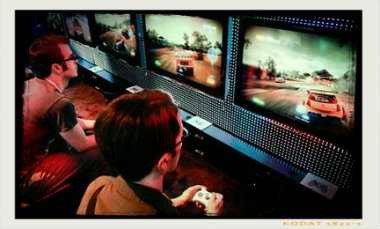 You know you are addicted to internet if ...You kiss your girlfriend's home page...or...
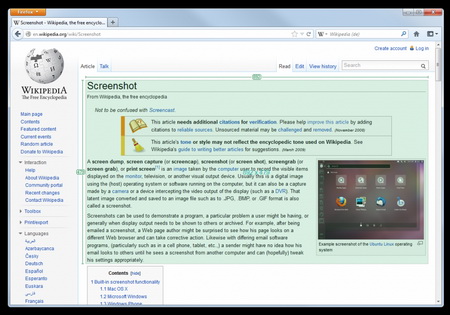 Greenshot is a great program that does its job perfectly. For every stated option in the menu there exists a corresponding shortcut, so the button 'PrintScreen' will turn on the saving of a region, 'Shift+PrintScreen' captures the last selected part, 'Alt+PrintScreen' saves the active window and 'Ctrl+PrintScreen' the whole screen.
 If you are looking for career counseling, and are in a dilemma as which branch of computer science you should go for, this small section would hopefully help you in selecting the best option according to your nature and interest. In computer industry, there are several branches from which you can choose any one. The reason behind this is that in this industry, you can get success and/or fame only when you are skilled, and full of knowledge.
 It's a very common problem that many newbies almost always ignore to correct; that when you try to the Disk Cleanup tool, it may stop responding and you may receive the following message. Disk Cleanup is calculating how much space you will be able to free on (C:). This may take a few minutes to complete. Scanning: Compress old files
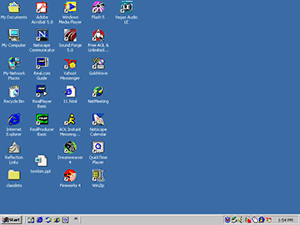 Here is an easy to use beginners article for those who just got a computer for the first time or for those who had it but never learned it or spent time on it. The main components of Windows when you start your computer are the Desktop, My Computer, Recycle Bin, Start Button, Taskbar, and shortcuts to applications. Have Fun!
 Everywhere you go, you're bound to get them. Popup ads claiming you've just won a million dollars, popup ads "alerting" you that your computer is vulnerable to hackers, and popup ads for some questionable websites. So, what can you do about them?
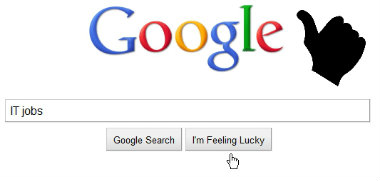 But how? If you have computer skill but no experience (or qualifications), the employment agencies will tell you the same old line, "You need experience before anyone will look at you."
It's just plain old Catch-22. You need the work to get the experience but you can't get that first job to give you a track record and therefore verifiable experience. With this logic, it amazes me that anyone actually gets into IT!
Qualifications help but even that is no guarantee nowadays of getting an IT Job. And what do you do when you don't have qualifications but you want to start now? I mean right now, not 3 months later after you've paid a fortune for certification and given up your job to have enough study time.
All is not lost. You have two alternatives.
 A great deal of fundamental understanding about computers has been mostly lost from our world today. Computers are so complicated and work so reliably nowadays that many of the finer aspects of computing are now little more than dim memories in the minds of some older hackers, or little-read publications gathering dust in libraries somewhere. People often try to get away with knowing as little as they can, and while they might be able to get away with that, it's distressing how many people who believe themselves to be knowledgeable about computers are actually unaware of some highly fundamental concepts.
Computer Beginners
A computer can be terrifying; it's a fact - especially when you don't even know how to switch it on. However, once you get to know them, computers can be fun to use and can make your life much easier. More good news: unless you throw a computer around, it' almost impossible to break it and it's actually quite easy to correct any mistakes you may make!
Tips
What is a File?
A "file" is one unit of information on a disk. Everything you store on a disk is stored in files. A file may contain a letter you typed to a friend, a list of addresses, a photo, or your tax information. All your data must be stored in files, or it will be erased when the computer is turned off.
Note: Programs are also stored in files, so don't delete files if you don't know what they are for. They may be part of one of your programs.
Program and Data
A "program" is a set of instructions for the computer. A program tells the computer how to do something. Some examples of programs are a game like Solitaire or Hearts, a "word processing" program for doing typing on, a "spreadsheet" program for doing calculations on, a genealogy program for recording and keeping track of your genealogy information, and a "paint" or "drawing" program for drawing pictures on.
"Data" is your information, your work. Some people think of data as "facts" (either written facts or numbers). This could be a letter you typed in, some addresses, some calculations, your tax information, a short story, genealogy information, a picture or photograph, etc. Data is what you put in the computer.
Everything put in the computer is either a program or data. The program is your tool. The data is your work. You use the "program" to work on "your data."
What Happens When You Save: Memory (RAM), and Disks
When you are working on your computer, your work is in the computers electronic memory (memory is also called RAM). If the power goes off, the electronic memory is erased. This is bad - it means your work disappears. The memory is also erased when you turn your computer off, when you are finished working with it.
In order to keep your work safe while your computer is off, you have to put your work onto a disk. This is called "saving" your work. When you save your work, the computer copies your work from the electronic memory, into a file on a disk. So a disk is for keeping your work while the computer is turned off.
There are different kinds of disks: floppy disks, the hard disk (also called the hard disk drive, or the hard drive - the "hard disk" is inside the "hard drive"), CD's, etc.
The hard disk is the main disk in your computer. This is where all your programs are kept, and you can keep your data there, also.
When you are working (for example, when typing a letter in your word processing program), you should "save" your work every 5 to 10 minutes, in case the power goes off or in case something else goes wrong. This will copy your work into a file on a disk, where it will be safe from a power outage, and also after you turn your computer off.
Spam (Junk E-mail)
Junk e-mail is called Spam. Spam is usually defined as "mass produced unsolicited e-mail" or "mass produced unsolicited commercial e-mail." In other words, it is junk mail.
Most spam messages contain scams, pornography, hoaxes, viruses, or similar things. It is strongly recommended that you do NOT open these. Also, most anti-spam experts suggest that you should NEVER reply to them, because it verifies that your address is valid.
Some Internet Providers now have anti-spam programs built into their service. They are not perfect, but they work fairly well. You can also get an anti-spam program for your computer, but unfortunately I don't have any experience with them, so I can't recommend any. You can also build your own anti-spam filters in most e-mail programs, but this can be quite complex for beginners, and usually they don't stop that much spam.
|
|||